Blue Screen of Death Windows 10
Loading blue screen 10…
Key Features
Features of Blue Screen of Death Windows 10
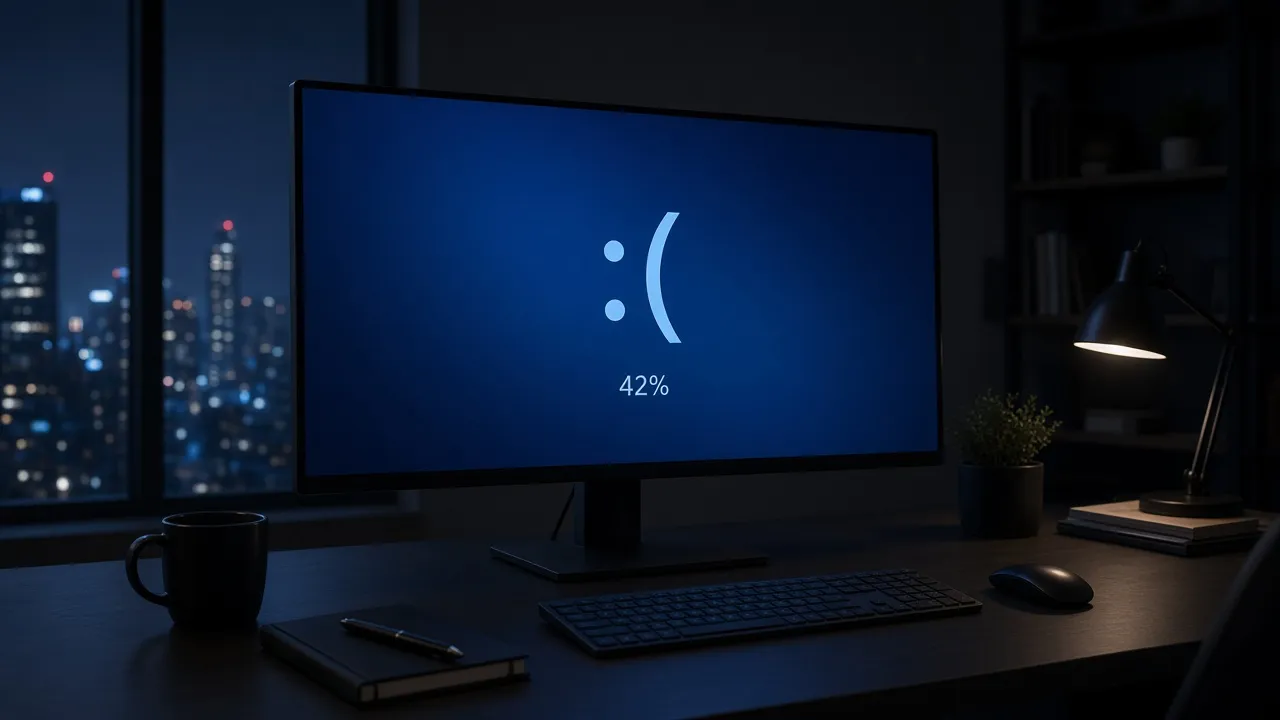
Modern Windows 10 & 11 sad face crash screen with live progress percentage.
- 01
Authentic Windows 10 Typography & Layout
Crafted with Microsoft Segoe UI font weights, accurate margins, and genuine system crash wording matching current Windows 10/11 updates.
- 02
Live Animated Memory Dump Progress Counter
Features a realistic percentage indicator that slowly increments from 0% toward 100%, convincing viewers that a real crash dump is processing.
- 03
Genuine Microsoft QR Code & Stop Codes
Displays authentic QR graphic blocks and canonical stop codes (WHEA_UNCORRECTABLE_ERROR / SYSTEM_SERVICE_EXCEPTION) for true realism.
- 04
100% Harmless In-Browser Execution
Runs safely within your browser tab. Your files, open applications, and system stability remain completely unaffected.
- 05
Seamless Keyboard Navigation
Hit F to go full screen instantly; press Esc at any moment to return to your normal desktop without delay.
About & Principles
Understanding the Modern Windows 10 / 11 Crash Screen
Beginning with Windows 8 and popularized in Windows 10 and 11, Microsoft completely redesigned the legacy technical blue screen into a user-friendly, minimalist crash notification. Featuring a giant sad emoticon :( and cleaner Segoe UI typography, the modern BSOD reassures users that their PC ran into a problem and needs to restart while collecting diagnostic error info.
Crucial elements of the modern Windows 10 BSOD include a dynamic percentage progress counter (e.g., "47% complete"), a technical stop code (such as CRITICAL_PROCESS_DIED or KMODE_EXCEPTION_NOT_HANDLED), and a scannable 2D QR code linking to Microsoft support.
Our online simulator delivers a pixel-perfect rendition of this exact interface. Rendered in high-resolution vector layout, it features a slowly incrementing percentage counter that mimics real system memory dump generation, creating an airtight illusion of an authentic crash.
How to use it
How to use Blue Screen of Death Windows 10
Three simple steps. No install, no sign-up, no upload.
- 01
Open the Windows 10 BSOD tool
Launch the simulator page in your browser on any modern PC or Mac.
- 02
Activate borderless fullscreen
Click anywhere on the preview or press F to hide all browser chrome and OS taskbars.
- 03
Watch the percentage climb
Observe the realistic crash progress counter slowly advance, confirming the illusion.
- 04
Exit with Esc
Press Esc to immediately dismiss the blue screen and resume your regular workflow.

Why this tool
Why choose Blue Screen of Death Windows 10
Engineered for distraction-free performance, privacy, and zero latency.
- 01
Unrivaled Visual Realism
Every spacing element, font size, and color tone (#0078D7) matches genuine Windows 10/11 system recovery screens.
- 02
Dynamic Live Counter
Unlike static screenshot images, our active counter changes over time, preventing anyone from detecting a fake static image.
- 03
Cross-Platform Humor
Hilarious to trigger full-screen on modern Apple M-series MacBooks, iPads, or Linux desktops to confuse onlookers.
- 04
Zero Ads or Distractions
Fullscreen mode completely removes UI banners, toolbars, and controls for pure immersion.
Practical Use Cases
What people use Blue Screen of Death Windows 10 for
Real-world scenarios with tested setup parameters and operational guidance.
Office Break & Desktop Protection Prank
Activate the Windows 10 BSOD before walking away from your desk to deter nosy coworkers from peeking at your workspace.
SetupFullscreen · Auto-Awake EnabledActionLaunch full screen before leaving your workstation.NoteEnsure your coworkers know it is a prank before they try hard-powering down your machine.Software Developer & QA Bug Demos
Simulate critical software crash fallbacks and recovery user journeys in presentations and product design reviews.
SetupStop Code: CRITICAL_PROCESS_DIEDActionInclude in software resilience walkthroughs.NoteClarify to stakeholders that this is a simulated UX model.Video Creation & Tech Comedy
Add an authentic Windows crash sequence to YouTube reviews, streaming fails, or video game montage edits.
Setup4K Display · Crisp Vector Segoe UIActionCapture direct OBS screen recordings of the crashing animation.NoteCoordinate screen recording with high framerates.IT Helpdesk Training Scenarios
Train tier-1 support technicians on recognizing modern Windows stop codes and diagnostic QR scanning procedures.
SetupClassroom Screen ProjectionActionDemonstrate stop codes and discuss kernel dump troubleshooting.NoteExplain how real mini-dumps differ from browser simulations.
Pro tips
Tips & limits
Honest notes from real-world use. No fluff.
- Note
Press F to enter fullscreen smoothly without moving your mouse cursor across the screen.
- Note
The percentage counter will slowly rise, making passersby believe the computer is actually collecting error logs.
- Note
Press Esc or tap the top of your display at any time to return immediately to your real applications.
- Note
Enable the Keep Screen Awake option to ensure the monitor stays lit without entering power-saving sleep.
FAQ
Frequently asked questions
Straight answers about how Blue Screen of Death Windows 10 works.
Does this Windows 10 BSOD simulation reboot my actual computer?
No. This simulator runs exclusively inside a standard web page. It does not reboot your machine, close your tabs, or alter any system software.
What color is the Windows 10 Blue Screen background?
Windows 10 uses Microsoft Azure Blue (#0078D7), which is lighter and more modern than the vintage Windows XP #0000AA navy tone.
How do I stop the simulation and return to my work?
Simply press the Esc key on your keyboard, press F11, or click the discreet exit button to immediately dismiss the screen.
What happens when the percentage reaches 100%?
The counter holds at 100% or loops realistically, maintaining the appearance of a system awaiting final reboot confirmation.
Can I scan the QR code displayed on the screen?
Yes! The QR code is a real vector matrix formatted to match standard Microsoft Windows stop error documentation.
Does this tool work on Mac and Chromebooks?
Yes, it works inside any modern web browser, making it especially funny to run on an Apple MacBook or iMac.
Will my screen dim or lock while this simulator is active?
If the Keep screen awake checkbox is enabled, the browser will use the Screen Wake Lock API to prevent screen dimming.
Is this simulator completely free?
Yes, 100% free with no registration, no downloads, and no watermarks in fullscreen mode.
Can I open this on multiple external monitors?
Yes, open the display drawer to spawn synchronized crash windows across all connected screens.
Does this tool collect any information from my computer?
No personal or device data is collected or transmitted. Everything executes strictly on your local browser engine.
Ready when you are
Launch Blue Screen of Death Windows 10
Instant fullscreen mode in your browser — zero install, zero sign-up.
Go fullscreen